
Discover - Chargestation & Session Log Explorer
Overview
Discover is the centralized log explorer within AIOps, available from both the Chargestation and Session pages. It brings together every log stream generated by a charger including CPC, Charge, OCPP, Plug, Connector, CarCom, and other charger specific logs into a single searchable interface.
Instead of downloading diagnostics or switching between multiple log files, Discover lets you search, filter, and inspect all charger logs in one place. Whether you're investigating a failed charging session, diagnosing communication issues, or tracking charger behavior over time, Discover provides the tools to quickly find the events that matter.
Investigating issues with Discover
A typical troubleshooting workflow starts with a single question:
"What happened around the time this charger or session failed?"
Discover is designed to answer that question by helping you:
- Search across all charger logs or narrow the investigation to specific log files.
- Visualize activity over time using the log-volume histogram to identify spikes and periods of interest.
- Quickly isolate failures by highlighting error events and filtering to error logs only.
- Inspect complete log records, including the raw indexed JSON, without leaving the application.
- Verify data freshness before troubleshooting by checking the charger's latest OCPP communication and diagnostics upload.
Everything from locating the relevant logs to inspecting individual events can be done from a single screen.
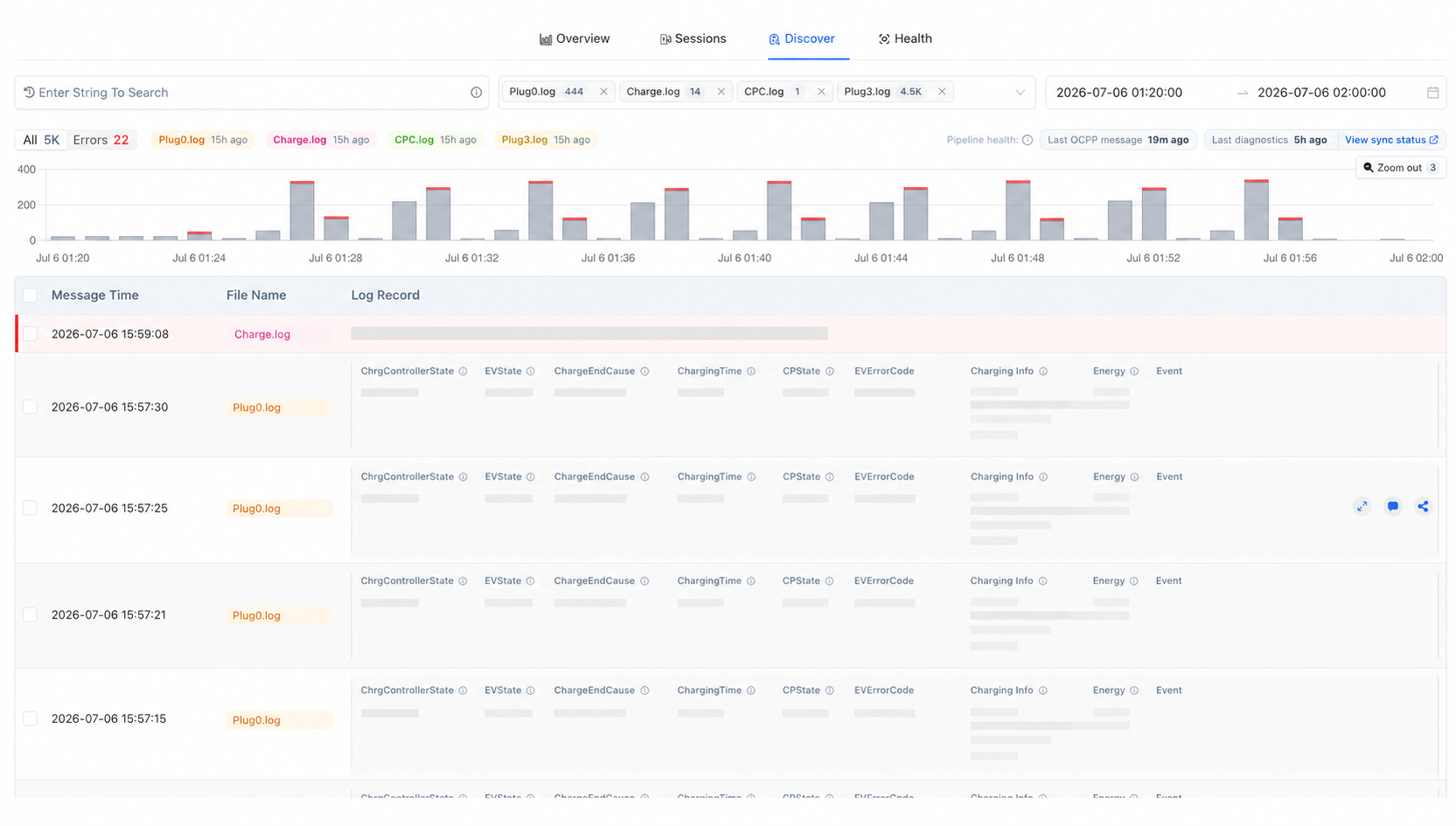
Discover Charger Logs
Key Features
Unified log search
Search across every available charger log from a single interface.
Discover automatically searches all selected log files and updates the results as you refine your search.
Features include:
- Search across all supported charger logs.
- Filter searches to specific log files (such as OCPP, Diagnsotics).
- Live match counts for each selected log file.
- Per-file match counts to quickly identify where relevant events occurred.
- Highlighted search terms within matching log entries.
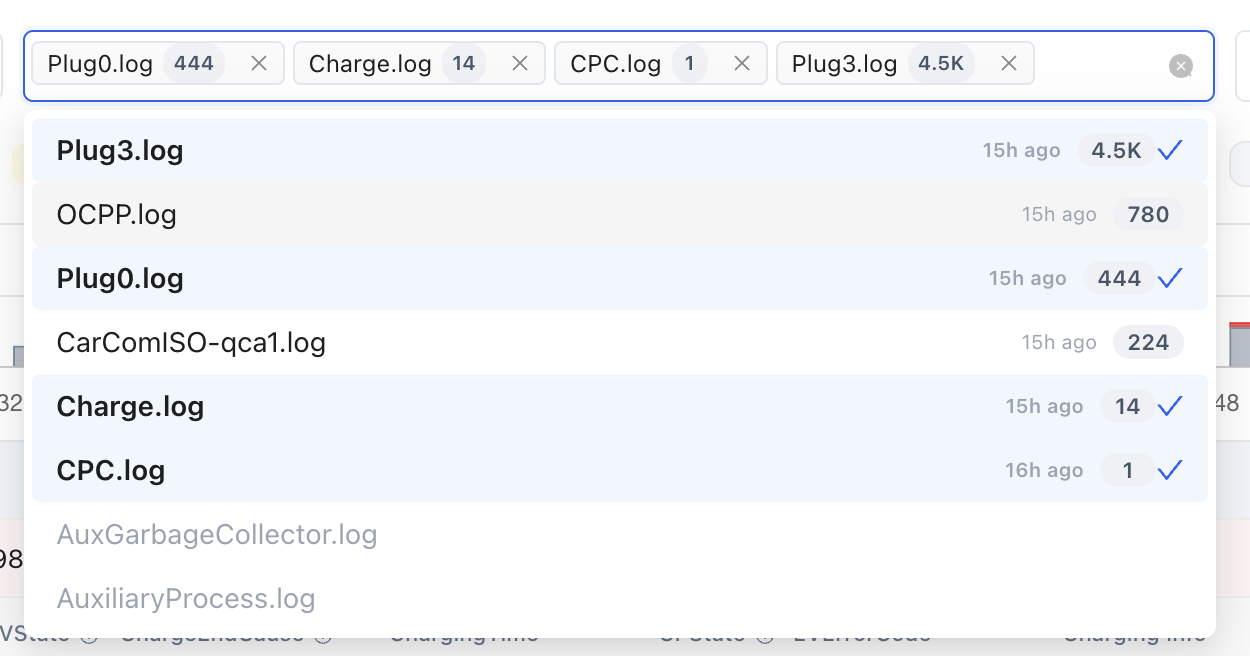
Unified search across all charger logs with live result counts and file recency
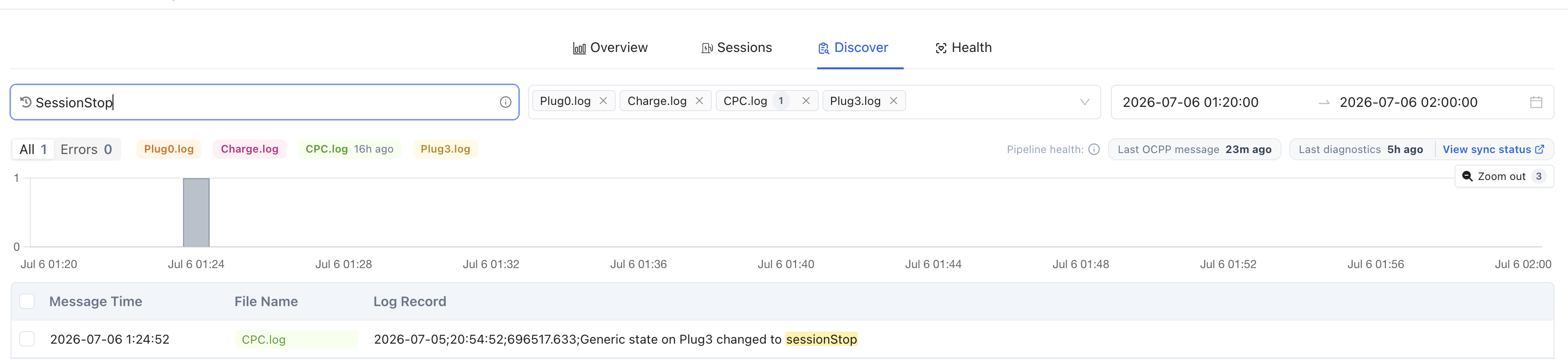
Highlighted search terms within matching log entries
Log-volume histogram
The histogram provides a visual timeline of log activity across the selected time range, helping you identify periods of high activity and error spikes.
Features include:
- Automatic time bucketing based on the selected date range.
- Error events overlaid in red for quick identification.
- Click a bar to zoom directly into that time period.
- Drag across multiple bars to investigate a custom time window.
- Hover tooltips showing the exact number of log and error events.

Drilldown to a specific time range
Error-focused investigation
Large log sets often contain thousands of informational messages. Discover helps surface the events that require attention.
Features include:
- Error rows highlighted throughout the results table.
- Errors quick filter to display only error entries.
- Live counts for both total matching logs and error logs.

Enable Error only filter
Log Details
Selecting a log entry opens the Log Details panel, allowing you to inspect the complete event without leaving Discover.
The Log Details view includes:
- Timestamp
- Source log file
- Complete log message
- Raw indexed JSON document
- One-click copy actions for key fields
This makes it easy to inspect parsed metadata, validate indexed fields, or share complete log records during troubleshooting.
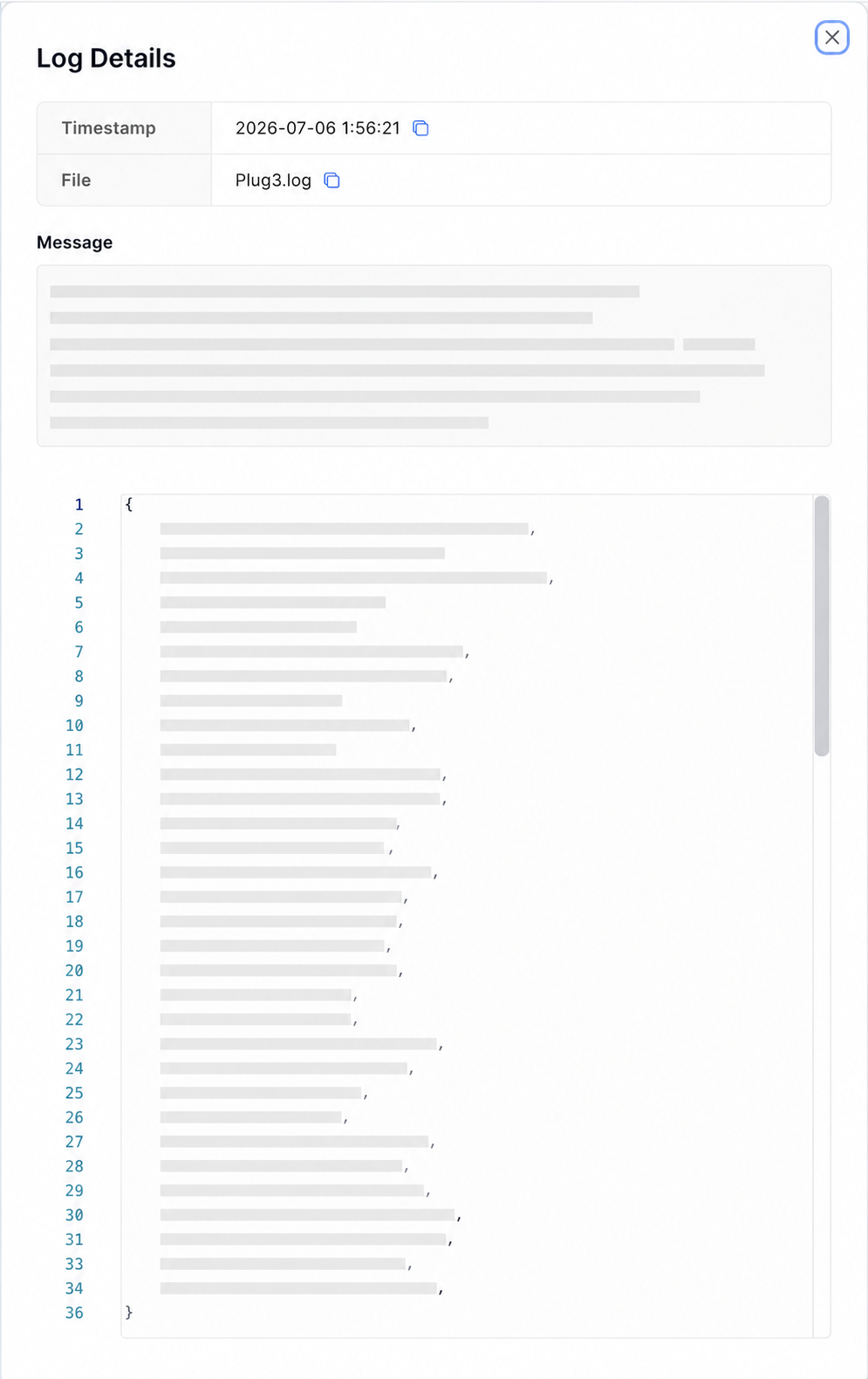
View log details
Charger health & data freshness
Before drawing conclusions from log data, it's important to know whether the latest charger data has been received.
When viewing a chargestation, Discover displays a pipeline health summary showing:
- Last OCPP message received from the charger.
- Last diagnostics upload received by the platform.
- Direct access to View Sync Status to request or monitor diagnostics synchronization.
- Data recency indicators so you know how current the displayed logs are.
This helps determine whether you're investigating the latest charger activity or waiting for additional logs to arrive.

Check charger data pipeline health and freshness
Updated 4 months ago